
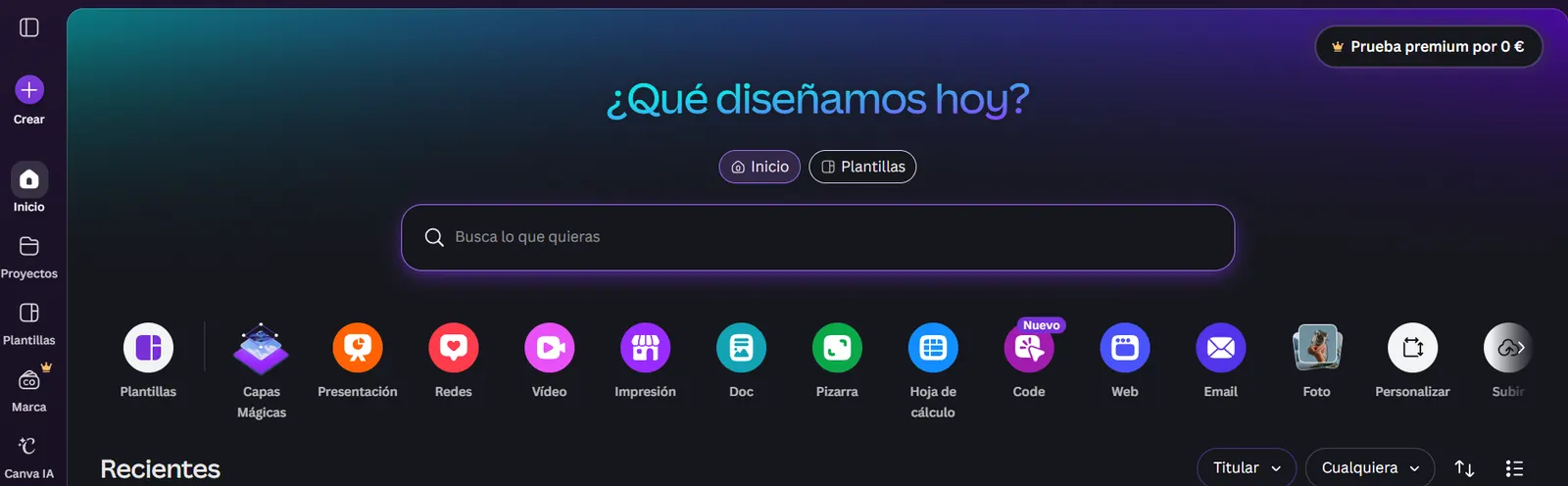
What is Canva AI?
Canva is the most popular graphic design platform in the world, used by more than 170 million people. In 2026, with the arrival of Magic Studio, Canva has become a full AI-powered design suite that lets you create logos, presentations, social media posts, videos and much more - without needing any design experience.
Magic Studio: the heart of Canva AI
Magic Studio is Canva’s set of AI tools. It includes:
- Magic Design: describe what you need and Canva creates a complete design
- Magic Write: generates text for your designs with AI
- Magic Resize: adapts any design to every format at once
- Text to Image: generates unique images from descriptions
- Background Remover: removes backgrounds in one click
- Magic Animate: adds automatic animations to your designs
Plans and pricing in 2026: the increase worth knowing about
Updated September 2026. Canva has raised Pro’s price twice in a year and a half: from $12.99 to $15, then from $15 to $18/mo on monthly billing. The company framed the increase around new Magic Studio features, and after backlash published a public “Pricing Promise,” committing to at least 60 days’ notice before future price changes.
| Plan | Price | Highlights |
|---|---|---|
| Free | $0 | Limited AI access (50 credits/mo), 5 GB storage |
| Pro | $18/mo | Full Magic Studio (500 credits/mo), 1 TB, 100+ million assets |
| Business (formerly Teams) | $25/user/mo ($250/yr) | Collaboration, approvals, brand kit |
| Enterprise | Custom (50+ users) | SSO, advanced controls |
On Pro’s annual price: the sources we checked don’t fully agree - some put yearly billing at $144/yr ($12/mo), others at $180/yr ($15/mo). We’re not asserting either figure: check the exact price in your account before subscribing, it can vary by region.
Business rose from $20 to $25/user/mo ($200 to $250/yr), with no published volume discount - cost scales linearly with every seat you add.
The free plan lets you use several AI features with a monthly credit limit shared across every Magic Studio tool. For heavy professional use, Pro is necessary.
AI image generator
Canva’s Text to Image generator produces solid results for use inside designs: illustrations, backgrounds, decorative elements. It doesn’t compete with Midjourney on pure artistic quality, but it plugs directly into your designs without needing to export and re-import from another tool.
For Instagram posts, presentations or marketing materials, Canva’s generator is more than enough.
Automatic presentations
One of the most impressive features: you describe the topic and Canva generates a complete presentation with structure, content and design in under 30 seconds. You can then edit each slide manually.
Ideal for:
- Business presentations
- Educational materials
- Investor pitches
- Results reports
Is the Pro plan worth it?
The free plan is extraordinarily generous for casual use. But if you use Canva daily for your business or work, Pro pays for itself quickly:
- 500 monthly Magic Studio credits
- 1 TB of storage
- More than 100 million premium photos, videos and elements
- Brand kit (saved colors, fonts and logos)
- Magic Resize for every format
At the new $18/mo price, the math shifts a bit from a year ago: it’s still worth it for regular professional use, but for occasional use the jump from the free plan weighs more than it used to.
Canva vs Adobe Express vs Microsoft Designer
| Canva | Adobe Express | Microsoft Designer | |
|---|---|---|---|
| Ease of use | ★★★★★ | ★★★★ | ★★★★ |
| AI features | ★★★★ | ★★★★ | ★★★★ |
| Templates | ★★★★★ | ★★★★ | ★★★ |
| Free plan | ★★★★★ | ★★★★ | ★★★★★ |
| Pro price | $18/mo | $10/mo | Free (with Microsoft 365) |
Canva wins on template variety and ease of use, but it’s no longer the cheapest of the three - Adobe Express costs considerably less. Microsoft Designer is free if you have Microsoft 365.
What users say
Canva holds an average of 4.2/5 across review platforms, with more than 80% of 5-star ratings for ease of use on Capterra. Non-designers are its biggest fans.
The real complaints: on Trustpilot, billing issues are common (users charged after cancelling the free trial), and on Reddit the community criticizes that even paying for Pro, some premium elements carry an extra cost. The recent price increases also draw recurring complaints - several users from the $12.99 era felt “trapped” by the hikes. On the AI specifically: illegible text in generated images and low prompt fidelity are the most common complaints.
Verdict
Canva AI is still the most accessible and complete AI design tool on the market in 2026, though it’s no longer the cheapest after two price increases in a year and a half. For content creators, entrepreneurs, educators and anyone who needs professional visual materials without being a designer, it remains a solid option.
The free plan is enough to get started. Pro at $18/mo is worth it if you use it regularly, but it’s worth comparing against Adobe Express if price is your priority.
Who is it ideal for? Entrepreneurs, social media content creators, educators, small businesses and anyone who needs professional designs without hiring a designer.
👉 The 8 best AI presentation makers in 2026
👉 Read the full Presentation Intelligence review
Community rating
Affiliate link - no extra cost to you