
What Vidu AI is
Vidu is a video generation platform built by ShengShu AI, a Chinese company that in 2026 has positioned itself as a serious alternative to Runway and Kling. Its selling point is clear: keeping characters and objects visually consistent across multiple shots, historically the hardest problem for AI video generators to solve.
The platform turns text, images or a reference character into clips up to 16 seconds long, at a visual quality that competes with much more expensive tools.
This review is not a summary of their website. We bought access, ran our own tests, and wrote down what every single generation cost.
Plans and pricing
Yearly billing (price per month):
| Plan | Price/mo | Credits/mo | References/mo | Resolution |
|---|---|---|---|---|
| Free | $0 | trial credits | 10 | - |
| Standard | $8 | 800 (~200 videos) | 50 | 1080p |
| Premium | $28 | 4,000 (~1,000 videos) | 100 | 1080p |
| Ultimate | $79 | 8,000 | 300 | 1080p |
Watch out for those numbers: they’re the yearly-billed price, meaning you pay $96, $336 or $948 up front. If you’d rather pay month to month, the real renewal rate is $10, $35 and $99.
And there’s a detail worth a second look on their pricing page. In the monthly view, the big highlighted price is $8.50, $30 and $84, but that’s the first-month welcome discount. The renewal price is printed smaller and struck through. If you sign up looking only at the big number, the second month will surprise you.
Maximum published resolution is 1080p, not 4K. Every paid plan allows 4 parallel generations and commercial use; the free plan allows neither commercial use nor batch generation.
Credits are spent based on duration, resolution and model, but Vidu does not publish a cost-per-generation table anywhere on its site - the help centre only says “more complex generations typically require more credits.” There’s no way to calculate what a video will cost you in advance from their own documentation.
Discount code: 20% off with AITOOLSES20
We arranged a code for readers of aitoolses.com: AITOOLSES20, good for 20% off, on both monthly and yearly plans, valid for a full year. On annual billing that is roughly $19 off Standard, $67 off Premium and $190 off Ultimate.
Enter it at checkout before confirming.
Subscription credits expire in 30 days
This is the detail that costs the most money and gets read the least. Subscription credits are valid for 30 days and do not roll over. Whatever you do not spend, you lose. Credits you buy separately, and bonus credits, last two years.
What else Vidu includes beyond video
Worth knowing, because a lot of people arrive thinking Vidu only does video, and the subscription covers quite a bit more:
- Image: a standalone AI image generator
- Editing: an AI video editor, a re-creator for existing clips, a quality enhancer and motion control
- Audio: text to speech, a sound-effects generator, and lip sync so the voice matches the character’s mouth
- Others: face swap, ready-made templates for ads and social, and a Story Grid mode for building scene-by-scene narratives
- API: a platform for integrating generation into your own apps
- One-Click MV: a feature that launched in August 2026 for putting together a full music video in one pass. It was too new for us to have tested it when this review first went live - see our results further down, we’ve since run it
The models: Q3, S1 and Claw
The lineup changed considerably in 2026, and not every model does the same thing.
Vidu Q3 (13 April 2026) is the flagship and the only one that reaches 16 seconds per generation. Its headline feature is native audio: it generates dialogue, voiceover, effects and music in the same pass as the image, with multiple speakers and output in English, Japanese and Chinese. It also adds frame-by-frame camera control.
Vidu Q2 shows up on their site today as an image generator, not video: the Ultimate plan advertises it as “unlimited Q2 image generation at 1080p.”
Vidu Claw (12 May 2026) isn’t a model, it’s a marketing agent built on top of Q3: you give it a brief and it hands back a finished ad. It has a Flash mode that produces a 10-second clip in about two minutes.
New: Vidu S1, real-time interactive generation
In July 2026, ShengShu unveiled Vidu S1, a model that flips the usual approach: instead of generating a clip and waiting for the result, it allows live interaction.
- Generates at 540p (960x540) at 25 FPS, with peaks up to 42 FPS
- Creates a custom interactive character from a single image
- Enables real-time video conversations with voice control of the character
- Efficient enough to run on consumer GPUs, not server clusters
It’s a different proposition from the rest of the catalogue: the resolution is low compared with the 1080p of the regular paid plans, but it opens the door to controllable live avatars and characters. Available to try at vidu.com/vidu-stream. API access is still marked as beta in their documentation.
September 2026 update: ShengShu unveiled Vidu S2 on 15 September, with two models that extend the S1 proposition: Vidu S2-Avatar, for continuous real-time interaction with a digital character, and Vidu S2-Editing, which edits an incoming video stream in real time. The most notable jump is resolution: Vidu S2-Avatar goes from S1’s 540p to 720p in real-time output.
What makes Vidu different: character consistency
Vidu’s core technology is called “Reference Consistency.” Unlike other generators where a character can subtly shift appearance between frames or shots, Vidu lets you upload a reference image and the model keeps that character faithful throughout the whole video.
A nuance that confuses a lot of people: you can upload 1 to 7 reference images per generation (characters, objects, scenes, style, composition, camera movement). That has nothing to do with the “references” number in the pricing table - 10, 50, 100 or 300 depending on the plan - which is a monthly usage counter, not a per-video limit.
This makes it especially useful for:
- Building stories with a recurring protagonist
- Product marketing where the item must look identical every time
- Branded content with defined characters or mascots
How Vidu works
Text to Video mode: describe what you want in words. Vidu interprets the prompt and generates the video. Prompts in English work better.
Image to Video mode: upload an image and Vidu animates it. You can steer the motion with text instructions.
Reference Character mode: upload a photo of your character, then generate scenes with that character in different situations while keeping their appearance.
Multi-Scene mode: chain several generations together to build a coherent story. It’s the most powerful feature for narrative content creators.
What each operation actually costs
Vidu does not publish a cost-per-generation table. So we built one from our own billing panel.
| Test | Mode | Model | Credits | Discounted |
|---|---|---|---|---|
| Text to video, 5 s, 1080p | Text → Video | Q3 | 40 | 24 |
| Image to video, 5 s, 1080p | Image → Video | Q3 | 50 | 30 |
| Image to video, 5 s, Flash | Image → Video | Q3 | 10 | 6 |
| Image to video, 5 s | Image → Video | Q2 | 35 | - |
| Upscale video to 4K | Enhancer | - | 20 | - |
| Upscale video to 2K | Enhancer | - | 15 | - |
| Text to image | Text → Image | Q2 | 0 (first generation) | - |
| Reference to image, 1080p | Reference → Image | Q2 | 0 (first generation) | - |
| Music video, 32 s, 1080p | One-Click MV | V1 | 256 | - |
Three things stand out.
A music video costs 256 credits. That is five times a normal image-to-video generation and, on the Standard plan, almost a third of your monthly credits in one go.
Flash mode costs a fifth of a normal generation: 10 credits instead of 50. It is the biggest saving available and you give up very little.
Images came out free in both text-to-image and reference-to-image. Treat that as a verified free trial rather than the permanent price of the feature - what we measured was the first generation in each mode.
Put together, 800 credits on the Standard plan buys roughly 20 normal video generations, about 80 in Flash mode, or just three music videos.
What we tested, with the actual clips
This is not a summary of their marketing page. We bought access, ran our own tests, and kept every result, every prompt, and the credit cost the interface showed. Every clip below came from those tests, unedited.
Text to video: photorealism
The first test was a Barcelona coffee shop, looking for skin, hands and natural light.
Skin, hair, hands, the cup and the window light all hold up well. The camera move, on the other hand, is shorter than the prompt asked for: the result reads more like an animated photograph than a shot with real movement.
The second test aimed for the hardest thing for a video generator: a person walking straight toward camera.
This is where Vidu shines: the walk is natural, the arms follow through, the coat moves like fabric and the wet asphalt reflects the neon. The miss is the rain, noticeably lighter than the prompt described.
The third was liquid physics, with a chained sequence of actions: pick up the glass, lift it, set it back down.
The glass, the bubbles, the condensation and the reflections are all strong. The full sequence of actions did not execute completely. This was the most consistent failure pattern across every test: Vidu understands the scene, but doesn’t guarantee every specific instruction.
Product: describing it versus starting from a photo
This is the most useful comparison if you sell something. First we asked for a perfume ad from text alone:
The smoke, the reflections and the premium finish are convincing, but the bottle’s geometry shifts between frames. Fine for a made-up product; not fine for yours.
Then we gave it a photo of the actual product and asked it to animate that instead:
The bottle stays identical: shape, cap, label, liquid colour. The practical takeaway is direct: if the product is real, always start from a photo. It costs 10 more credits and avoids the one serious problem with text-only video.
Characters: same prompt, four configurations
We did something almost nobody publishes: the exact same prompt across four different settings, for a clean comparison.
Result we didn’t expect: one image performed just as well as two. If you’re animating a person, you don’t need a whole photo dossier.
Flash loses a bit of cinematic polish, but for 10 credits instead of 50 the result is still perfectly usable. The sensible workflow is obvious: iterate in Flash until you find the shot, and spend cinematic mode only on the final take.
And here’s the bigger surprise: Q2 holds its own against Q3. The face, hair, clothing and gait all stay consistent, and it costs 15 credits less. It’s not a degraded fallback, it’s a reasonable alternative.
Vertical for social
Comes out at true 1080x1920, no crops or bars. Works directly for Reels, TikTok and Shorts.
The Enhancer: what it really does
Vidu sells a video upscaler. We ran it on one of our clips and measured the files: 1176x1764 in, 2160x3240 out. It costs 20 credits at 4K, 15 at 2K.
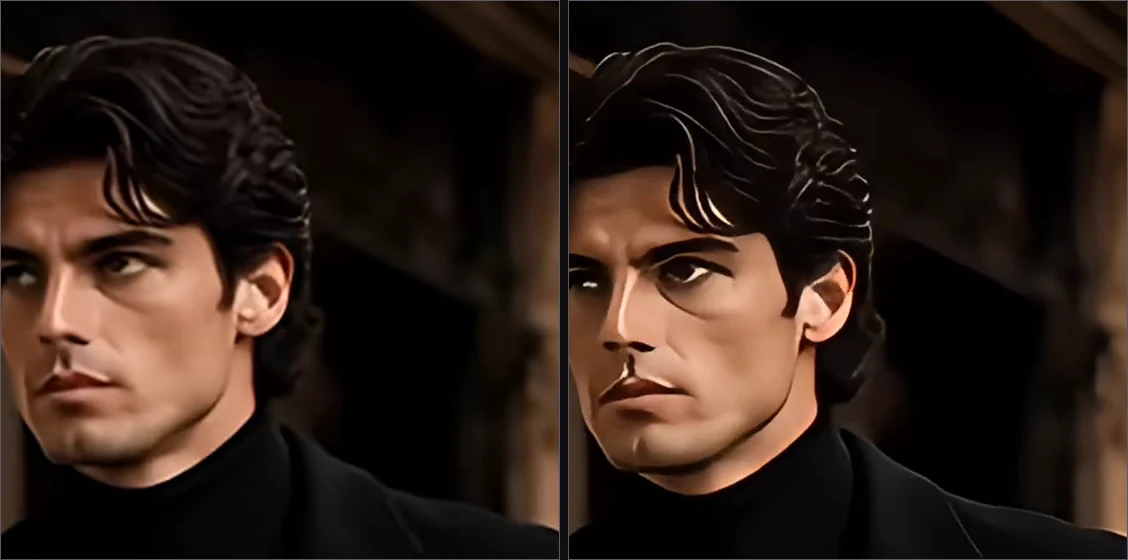
Original on the left, processed on the right, both cropped to the same frame. It genuinely adds definition in hair, eyebrows and skin texture while preserving motion and duration.
Now the honest part, because the marketing here is easy to misread: this does not turn a video into native 4K, it rescales and reconstructs detail. In our test the processed version also came out more contrasty and slightly more plastic-looking on skin. Look at the result before you call the credits well spent.
And it also generates images
This is the least-known part of Vidu and, in our tests, the one that came out free.
First, a product photo from text alone:

The glass, light, smoke and reflection are commercial-grade. The label text isn’t: instead of the name, we got decorative gibberish calligraphy. It’s the classic weak point, meaning for a real brand the way through is to generate the visual and add the lettering separately.
Then we tried Reference to Image, starting from a photo of a person:
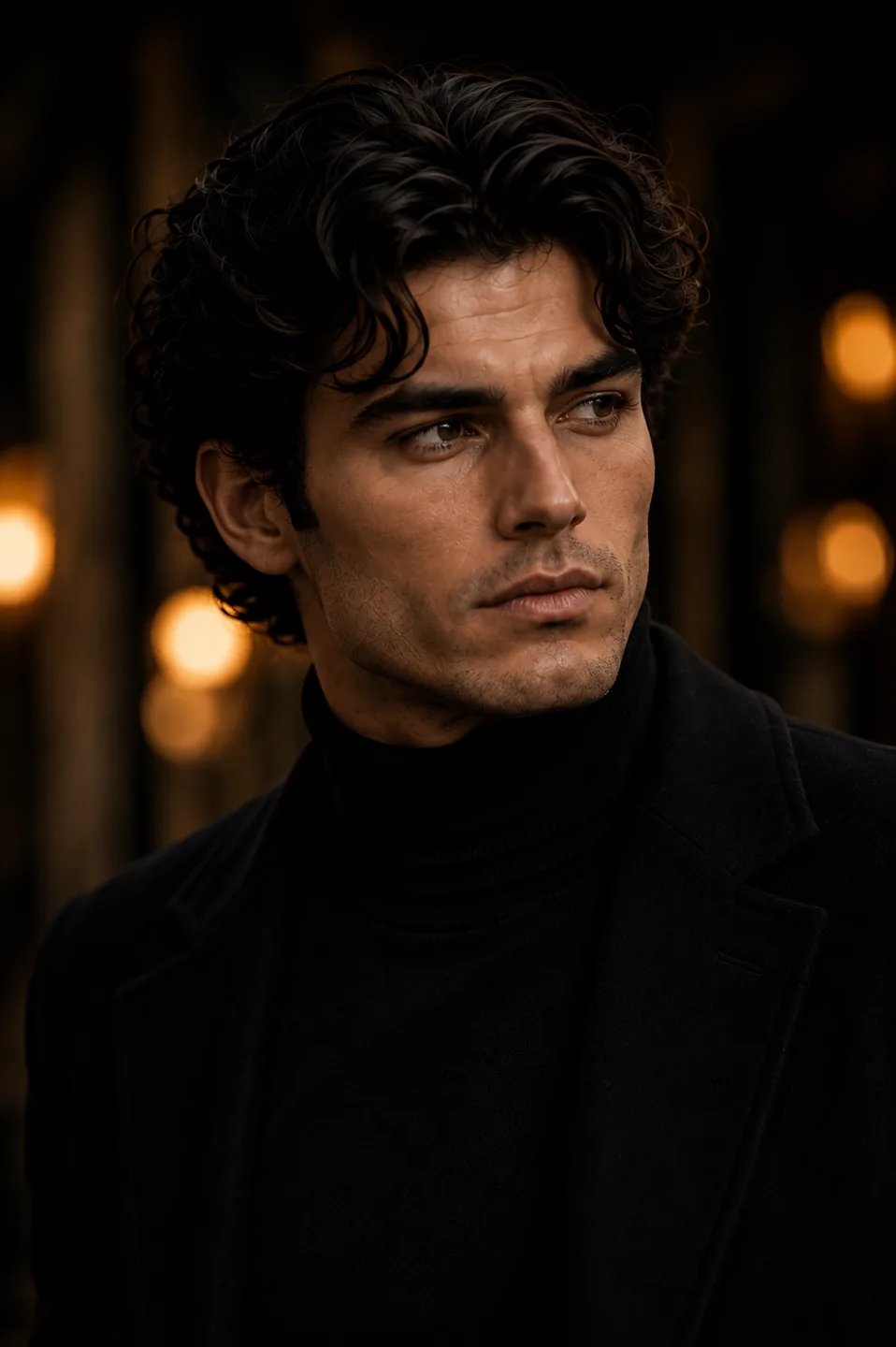
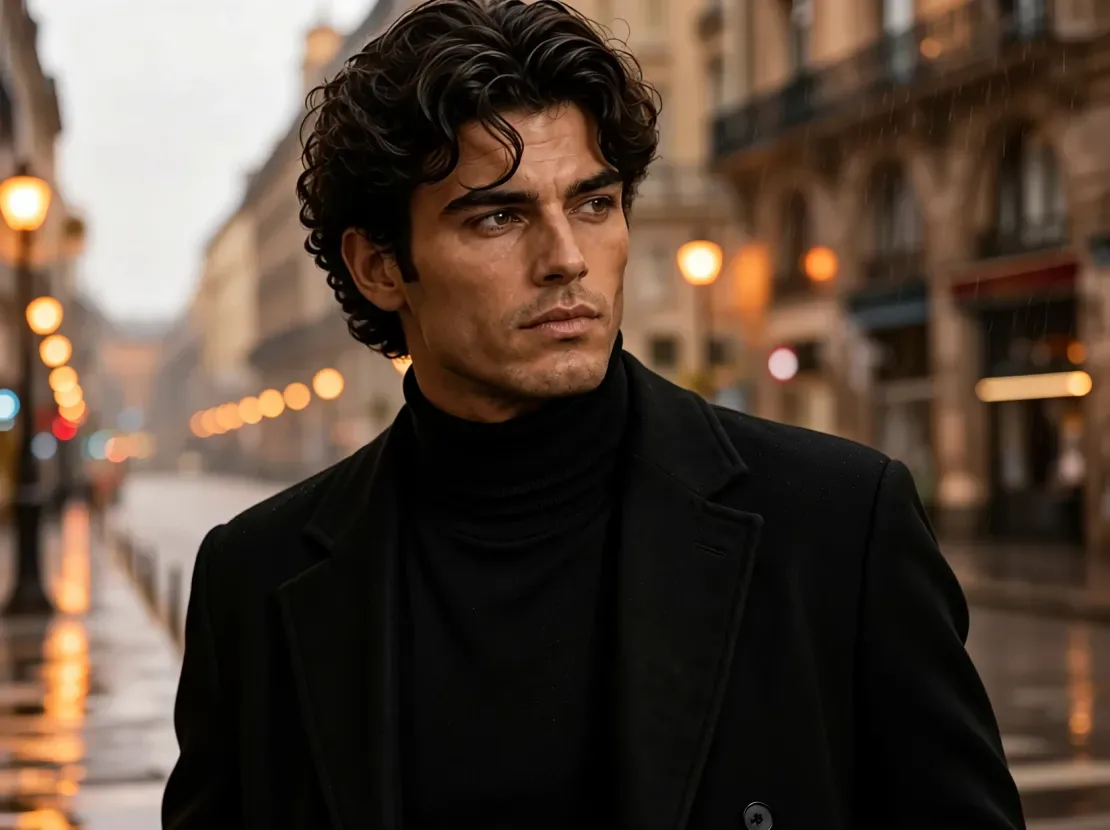
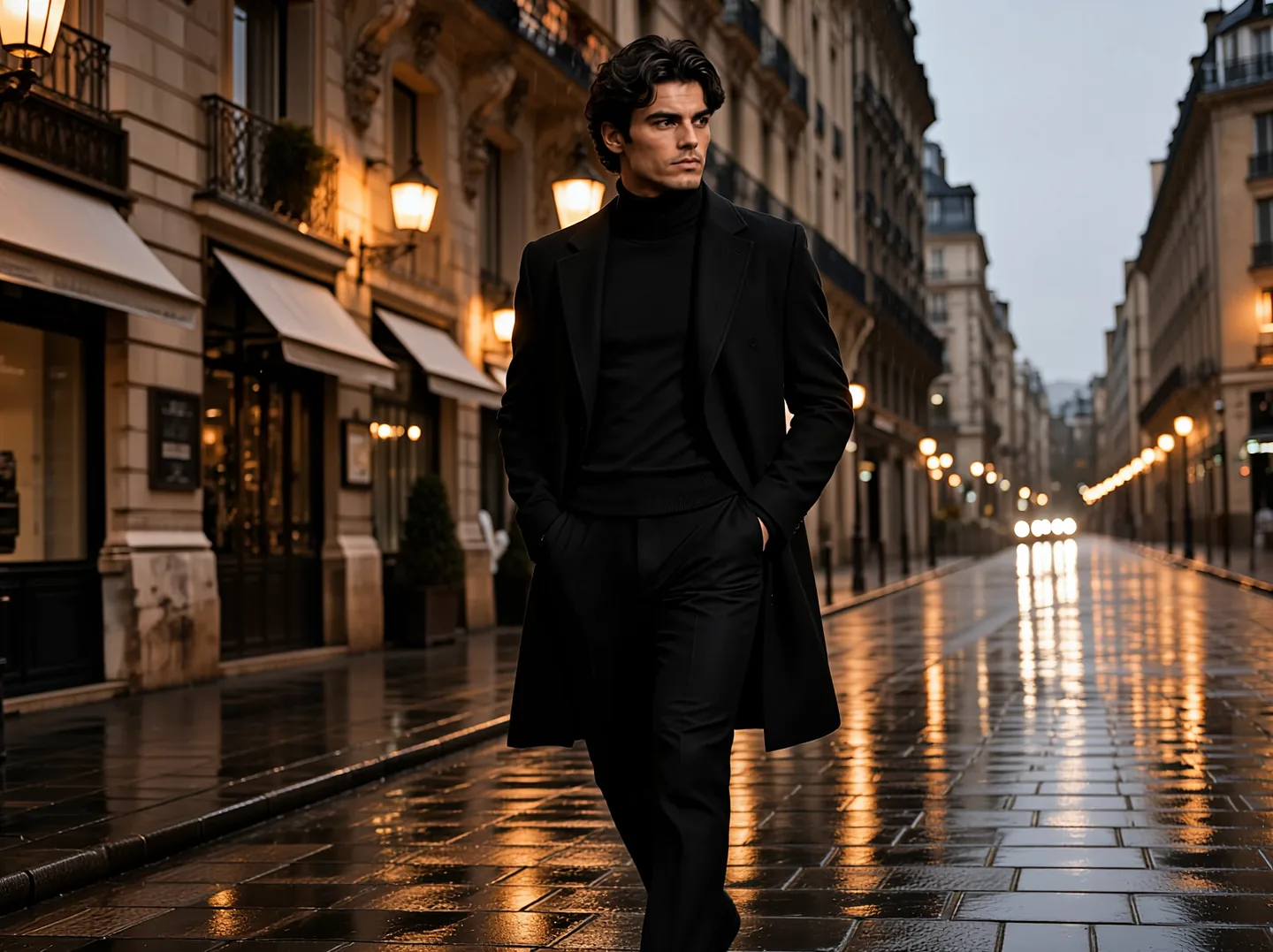
With the same prompt, one reference and two references. Identity holds in both: face, proportions, hair, skin tone. The second image mainly contributes clothing and full-body proportions, not facial likeness.
And the same recurring flaw shows up again: the rain the prompt asked for is barely visible. It’s the most consistent defect we found across every test.
One-Click MV: a full music video in one pass
This is Vidu’s newest feature, launched in August 2026, and we tested it as soon as it shipped. The approach is different from everything above: you upload a song with vocals, up to two front-facing portraits for lip sync and one to six style images, pick a creative mode (singing, singing and acting, dancing, or acting), and it hands back the finished music video.
We gave it the same man from our earlier tests, with these two references:
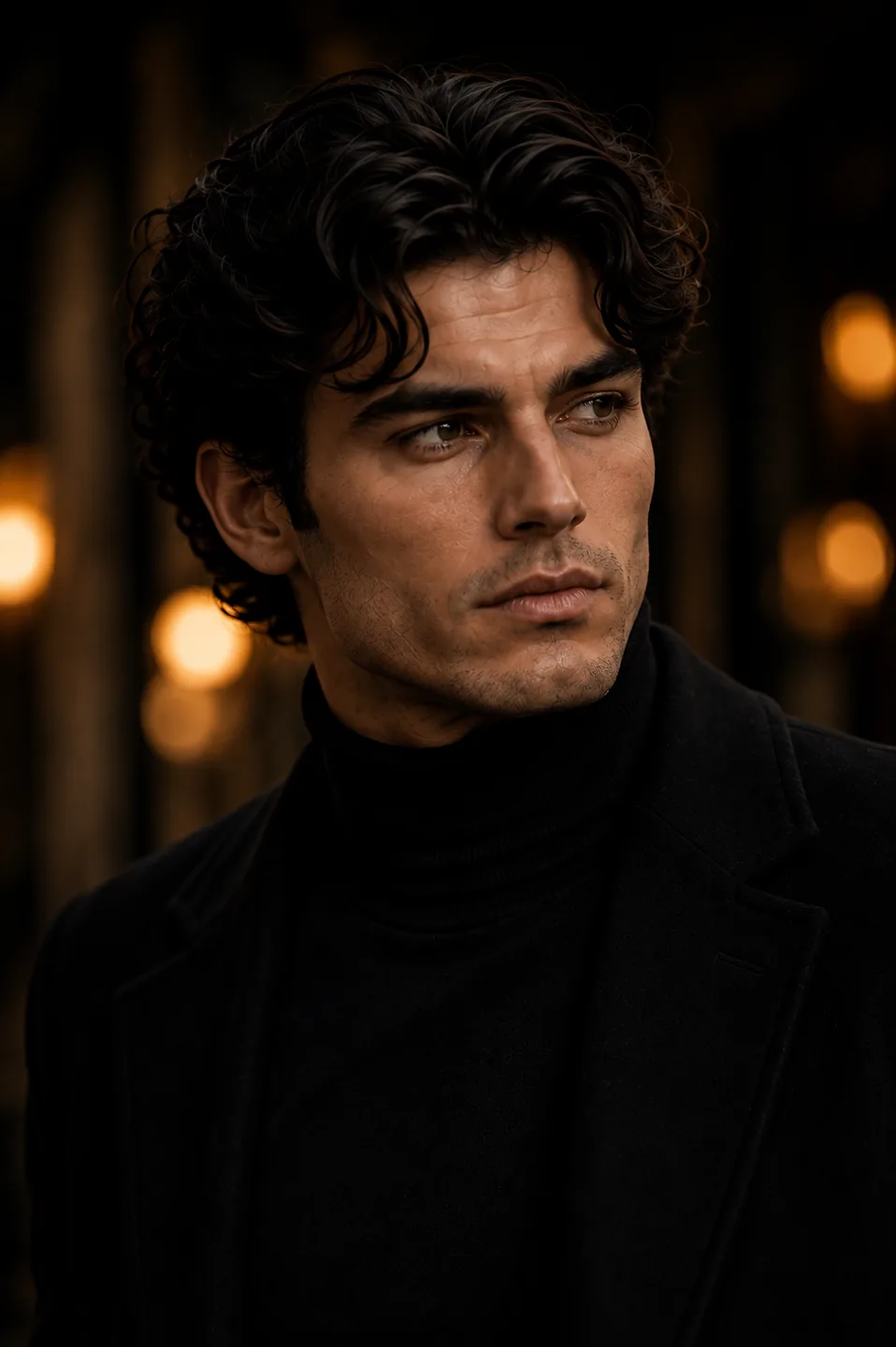
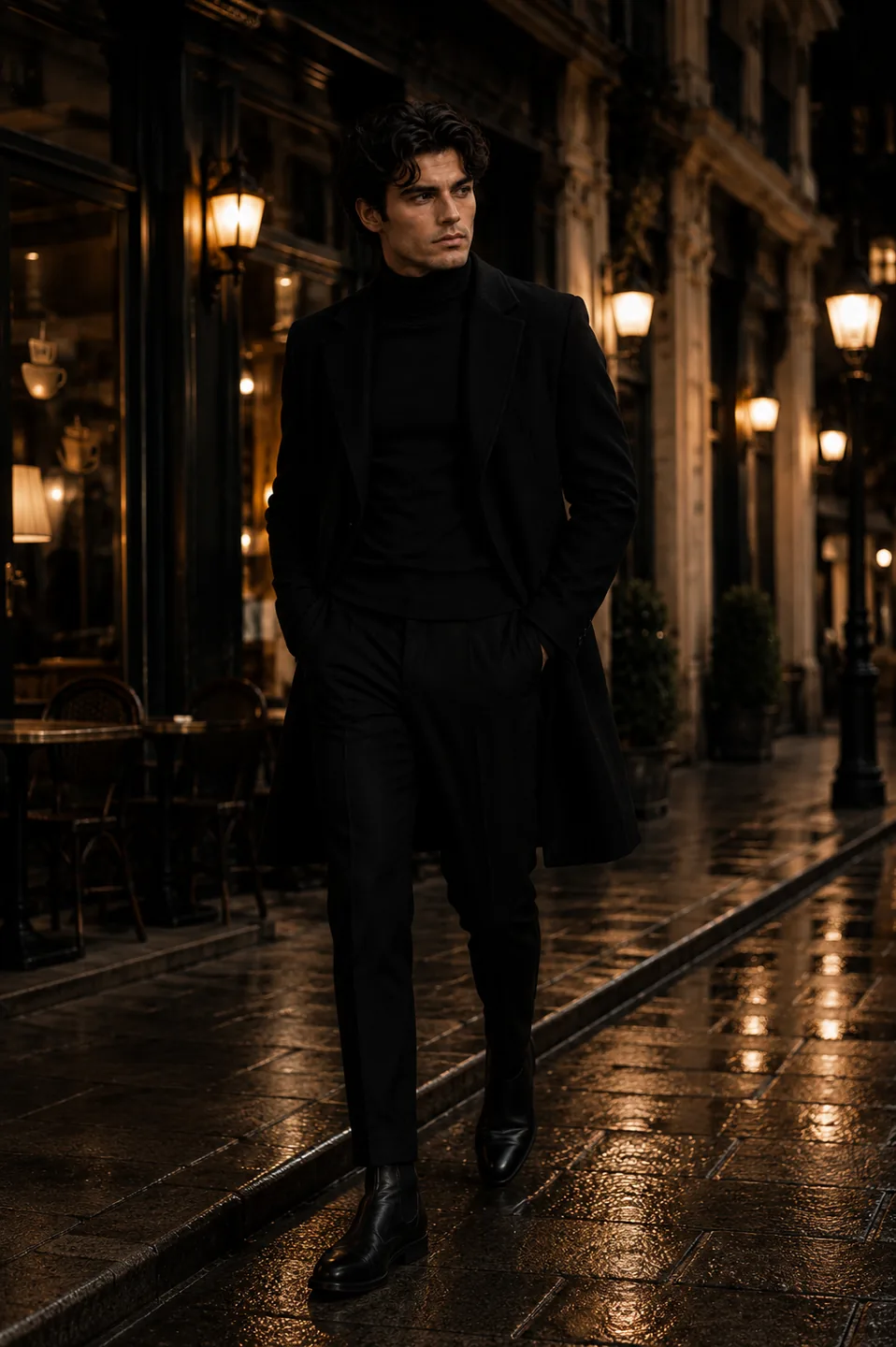
And here’s the result, uncut and unedited. Turn your volume up:
What surprised us wasn’t the finish, which we already expected after the earlier tests, but the editing. The clip isn’t one fixed 32-second shot: it cuts between wide, close-up and medium shots, with the same wet street, the same streetlight reflections, and the same recognisable performer throughout. That’s exactly what usually breaks in video generators, and here it holds across cuts.
Now the price, because it’s what decides whether this is worth it: 256 credits for this one clip. It’s the most expensive single operation we found anywhere in the tool. On the 800-credit Standard plan that’s three music videos a month and not much else, and every failed attempt counts the same. If you’re planning to use One-Click MV seriously, the plan math changes entirely.
Lip-sync accuracy is something you’ll judge better by watching with sound than by reading a note from us, which is why we published the full clip instead of describing it.
The available settings are more than they look: aspect ratio 1:1, 16:9, 9:16, 4:3 or 3:4, resolution 720p or 1080p, two model versions (V1 and V2), and auto-generated subtitles from the song, off by default. Audio accepts 10 to 300 seconds in MP3, WAV, AAC or M4A.
What we learned from testing it
- Starting from an image wins almost every time. For products and for people, image to video preserves what text alone can’t.
- One reference is usually enough. The second photo helps with clothing and full-body proportions, not the face.
- Flash is the sensible default for iterating, at 10 credits instead of 50.
- Q2 is still competitive and costs less than Q3.
- Text inside the image doesn’t work. Labels, logos and lettering need to be added separately.
- One-Click MV builds a genuinely complete music video, with multiple shots and the same face throughout, but it costs 256 credits - three a month on the Standard plan.
- Vidu understands the scene, not the checklist. Heavy rain, long camera moves and chained sequences of actions only run partway.
Vidu vs Runway vs Kling
| Aspect | Vidu | Runway Gen-4 | Kling 2.0 |
|---|---|---|---|
| Base price | $8/mo (yearly) | $15/mo | $10/mo |
| Character consistency | ★★★★★ | ★★★★☆ | ★★★★☆ |
| Editing tools | ★★★☆☆ | ★★★★★ | ★★★☆☆ |
| Ease of use | ★★★★★ | ★★★☆☆ | ★★★★☆ |
| Cinematic quality | ★★★★☆ | ★★★★☆ | ★★★★☆ |
| Multi-scene | ★★★★★ | ★★★☆☆ | ★★★☆☆ |
Choose Vidu if: you want consistent characters at a good price with an easy learning curve.
Choose Runway if: you need a full professional editing workflow alongside generation.
Choose Kling if: you want the lowest price with decent quality.
What users say
Polarised ratings: 4.7/5 on G2 for speed and quality, but 2/5 on Trustpilot with near-unanimous complaints about refunds and unresponsive support. A pattern that repeats across a lot of Chinese AI tools: the product convinces, customer service doesn’t.
Most praised: multi-reference consistency (its standout feature) and anime and 2D animation quality considered best in class - while Sora and Veo compete on photorealism, Vidu dominates the stylised niche. The most important functional complaint: failed generations also burn credits, something we’ve confirmed in their own documentation. And in complex scenes with multiple subjects, the model sometimes merges elements or ignores instructions.
The “unlimited” that depends on what language you read
This is the most uncomfortable thing we found.
Vidu’s Ultimate plan advertises free off-peak generation. In English, Chinese and Japanese, the pricing page says “Free Off-Peak Mode: Submit up to 200 videos daily”. In Spanish, Korean, German, French, Portuguese and Russian, the same product card promises unlimited free generation.
It is the same feature, translated inconsistently: some languages were updated with the real cap, others were not.
The real limit is 200 a day. The help centre says so, and the app itself ships error messages for hitting it - “You’ve reached today’s Off-Peak submission limit”. A limit that does not exist does not need an error message.
To be fair on the practical side: 200 free videos a day is a lot, and almost nobody will touch that ceiling. The problem is not the number, it is that readers in some languages are being promised something different.
Other things worth knowing about off-peak mode: it uses no credits, it is Ultimate-only, it covers video and audio but not dubbing, generations take longer, and Vidu never publishes what hours count as off-peak or in which time zone. And if you come from their developer API, note that “off-peak” there means half price, not free.
The fine print before you pay
From Vidu’s terms of service (updated 3 July 2026) and help centre:
No refunds. Literally: “refunds are not supported for the moment.” All you can do is cancel to avoid future charges.
Auto-renewal, charged at the start of each billing cycle. Cancel before the date or you pay for the next period.
You grant a perpetual licence over your videos. Vidu does not claim ownership of your output, but you grant it a worldwide, perpetual, irrevocable, transferable and sublicensable licence, which includes training its AI models and using your content for promotional and commercial purposes. That licence survives closing your account. If you generate work for clients, read that twice.
Failed generations burn credits. They are only refunded if the failure was Vidu’s fault and you email support to claim it. It is not automatic.
Commercial use is paid-plan only. Not allowed on the free plan.
Disputes go to Hong Kong. Governed by Hong Kong law, binding arbitration at the HKIAC, no ordinary court route. Vidu’s maximum liability to you is capped at $100 or what you paid in the last 12 months, whichever is greater.
Ideal use cases for Vidu
Content creators: generate Reels and TikToks with your own recurring characters without filming anything. Multi-scene mode lets you build short animated series.
Product marketing: create product demos with the same item looking identical across every scene. Genuinely useful for e-commerce.
Storytelling: if you have a story to tell, Vidu is the generator best suited to holding visual narrative consistency together.
Beginners: the interface is the most approachable in its category. You can get quality results in minutes with no technical background.
Verdict
Vidu is the best tool we have tested for keeping a character or a product consistent across shots, and image-to-video is where it earns its money. The interface is genuinely beginner-friendly, vertical output is native, and Flash mode makes iteration cheap.
What holds the score back is not quality, it is the commercial terms: credits that expire monthly, no refunds at all, a perpetual training licence over your output, and a music video feature that eats a third of a plan per use.
If you are evaluating it, start on the $8/month yearly Standard plan, use Flash for every draft, and keep the expensive cinematic mode for the final take.
Vidu provided a month of the Ultimate plan so we could run these tests. This article contains affiliate links and a discount code we earn commission from. The tests, the measurements and the conclusions are our own.
👉 The best AI video generators in 2026
👉 All AI tool deals and discounts
👉 Kling vs PixVerse vs Vidu: which generates better video
👉 Vidu vs Runway ML: which to choose
Community rating
Affiliate link - no extra cost to you